Category: Uncategorized

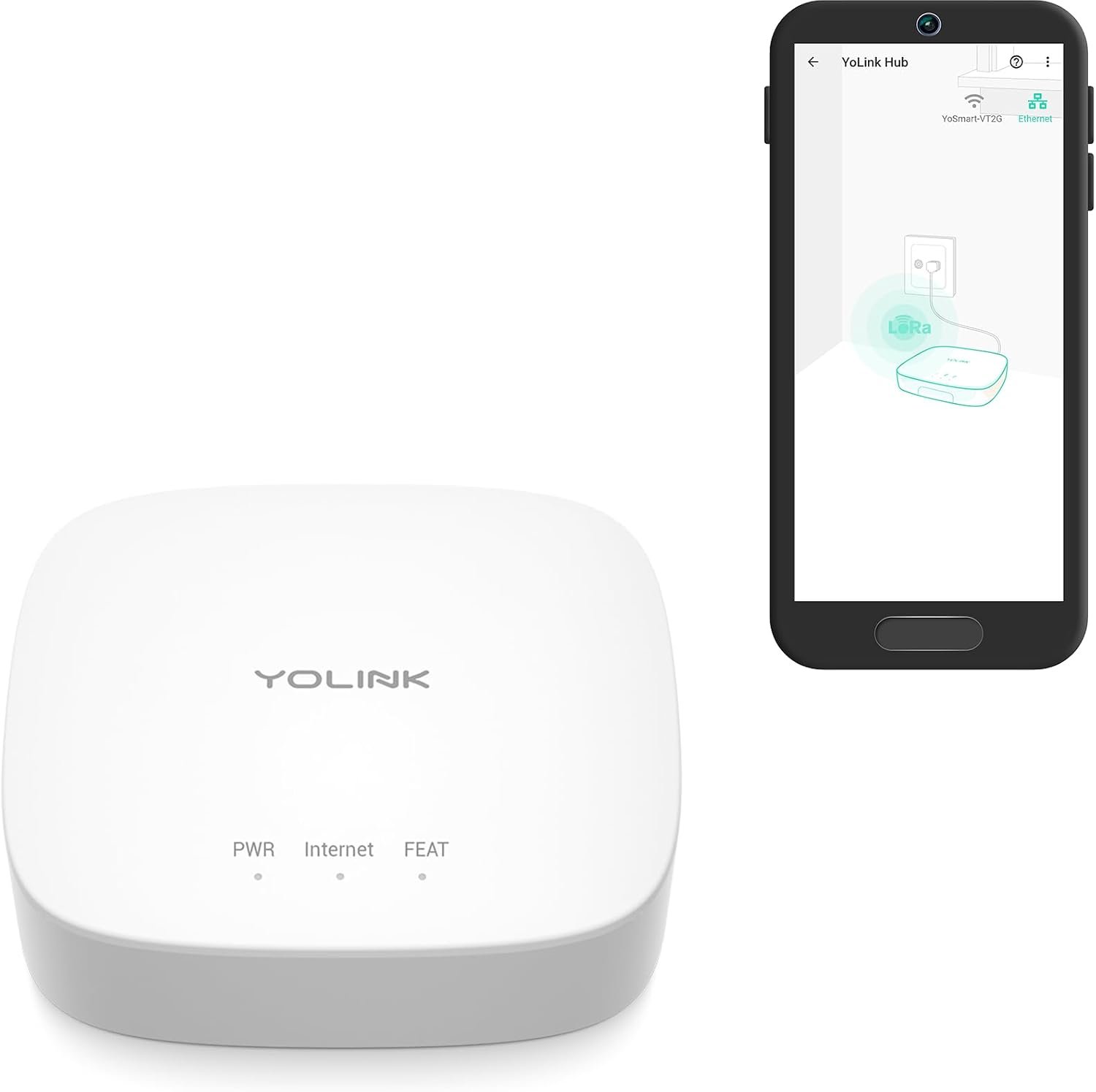
  • YoLink Smart Home Hub YS1603: A Practical Guide to Long-Range Smart Home Connectivity

    YoLink Smart Home Hub YS1603: A Practical Guide to Long-Range Smart Home Connectivity

    Introduction

    Smart home systems often begin with a simple idea: connect a few devices so they can be monitored or controlled from a phone. A smart plug may control a lamp, a sensor may report when a door opens, or a leak detector may send an alert when water is detected. As the number of connected devices grows, however, the communication method used by those devices becomes increasingly important.

    Many smart-home products depend on Wi-Fi or Bluetooth. These technologies can work very well in many homes, but range, battery consumption, building materials, and network congestion can become considerations when devices are installed in garages, sheds, basements, outbuildings, utility areas, or other locations far from a router.

    The YoLink Smart Home Hub YS1603 takes a different approach by serving as the central gateway for YoLink’s low-power, long-range smart-home ecosystem. The hub connects compatible YoLink devices to the internet and provides a bridge between the local YoLink network and cloud-based services. YoLink describes its system as using LoRa-based technology for long-range communication and low-power operation.

    This architecture can be particularly relevant for households that want to monitor locations where traditional Wi-Fi-based sensors may not be ideal.

    The YS1603 is not simply a universal smart-home hub that automatically supports every Zigbee, Z-Wave, Bluetooth, or Wi-Fi device. Instead, it belongs to the YoLink ecosystem, meaning that compatibility with specific YoLink sensors, switches, locks, alarms, and other accessories is central to how the system works.

    YoLink documentation describes the hub as an internet gateway for YoLink devices, while the company explains that the hub communicates with individual devices using LoRa technology and then connects to the internet through Ethernet or Wi-Fi, depending on the hub model and configuration.

    Understanding that architecture helps explain where a hub such as the YS1603 fits into a smart-home installation.

    This article explores the hub’s role, the communication technology behind it, potential applications, installation considerations, ecosystem compatibility, and the differences between a dedicated LoRa-based smart-home hub and other common hub categories.

    Key Features

    Central gateway for YoLink devices

    The primary purpose of the YS1603 is to act as a gateway between compatible YoLink devices and the internet.

    Instead of every sensor needing its own direct internet connection, devices communicate with the hub. The hub then provides the connection between the local YoLink network and YoLink’s online services.

    This architecture can be particularly useful for battery-powered sensors because the individual devices do not need to maintain a continuous Wi-Fi connection.

    YoLink describes the hub as a central component of its smart-home system and explains that it connects YoLink devices to the internet for remote monitoring and automation.

    LoRa-based long-range communication

    One of the defining characteristics of the YoLink ecosystem is its use of LoRa, short for Long Range.

    LoRa is designed for long-distance, low-power wireless communication. Rather than prioritizing high data throughput like Wi-Fi, it focuses on sending relatively small amounts of information efficiently over longer distances.

    That makes the technology well suited to smart-home sensors.

    A temperature sensor, door sensor, water-leak detector, or motion sensor usually does not need to stream video or transfer large files. It may simply need to send a small status update such as “door open,” “temperature 68°F,” or “water detected.”

    YoLink explains that its devices use LoRa-based communication to provide long range and low power consumption.

    Designed for low-power devices

    Many smart-home sensors are battery powered.

    A Wi-Fi connection can provide high bandwidth, but maintaining Wi-Fi connectivity can require more energy than the simple data communication needed by a sensor.

    The YoLink architecture is designed around low-power communication.

    This can make it suitable for devices that need to operate for long periods without frequent battery changes.

    Battery life still depends on the specific YoLink device, its settings, environmental conditions, transmission frequency, and battery quality. The hub itself is continuously powered, while the individual sensors can use their own batteries.

    Internet connectivity

    The hub provides the bridge from YoLink devices to the wider internet.

    This allows compatible devices to be monitored and controlled through the YoLink application and supported services when the required internet connection is available.

    The exact networking method depends on the specific hub model and current documentation. YoLink’s documentation distinguishes between hub models and explains the available network connection options.

    Users should therefore follow the instructions for the exact YS1603 hardware rather than assuming that every YoLink hub has identical networking capabilities.

    Mobile app integration

    The hub works as part of the YoLink mobile ecosystem.

    The app can be used to configure compatible devices, view status information, create automations, and receive notifications depending on the device and service.

    This is particularly useful when a sensor is installed somewhere the user cannot easily check in person.

    For example, a water sensor under a sink can report a problem through the app instead of requiring someone to physically inspect the area.

    Support for multiple types of sensors and devices

    The YoLink ecosystem includes different categories of smart-home devices.

    Depending on the specific product and current compatibility list, users can build systems around devices such as:

    • Door and window sensors
    • Water-leak sensors
    • Temperature and humidity sensors
    • Motion sensors
    • Smart plugs
    • Light controls
    • Garage door controllers
    • Valve controls
    • Locks
    • Alarms
    • Outdoor monitoring devices

    The important point is that these devices are part of the YoLink ecosystem. The YS1603 should not be interpreted as a universal gateway for unrelated smart-home products.

    Automation support

    A hub becomes considerably more useful when it can connect events to actions.

    For example, a water sensor could trigger a notification, or a door sensor could initiate an automation involving another compatible YoLink device.

    YoLink’s platform supports device automation and scenes, although the available actions depend on the specific devices involved.

    This allows users to move beyond simple remote control and create event-based smart-home behavior.

    Remote monitoring

    One of the practical reasons to use a hub is the ability to check devices remotely.

    A user might want to know whether a garage door is closed, whether a basement sensor has detected water, or whether a remote temperature sensor has exceeded a threshold.

    The hub provides the connection between those local devices and the online service that allows remote access.

    Remote monitoring naturally depends on power, internet connectivity, hub availability, and the status of the individual sensor.

    Understanding YoLink’s Communication Architecture

    Hub versus sensor

    It helps to separate the roles of the hub and the sensor.

    A YoLink sensor is normally installed where information needs to be collected.

    The hub stays in a suitable location where it can communicate with the sensors while maintaining its internet connection.

    The sensor might be installed in a basement, garage, shed, mailbox, or utility room. It sends its data through the YoLink network to the hub.

    The hub then communicates with the online platform.

    This is different from a simple Wi-Fi sensor that communicates directly with a wireless router.

    Why low data requirements matter

    Smart-home sensors generally transmit small amounts of data.

    A water sensor might report:

    Normal → Water detected

    A door sensor might report:

    Closed → Open

    A temperature sensor might report:

    72°F → 75°F

    These small messages do not require high-speed networking.

    This is where low-power, long-range technologies such as LoRa can be particularly appropriate.

    Long range is not unlimited range

    The term “long range” should not be interpreted as a guarantee that a device will work at any distance.

    Wireless performance depends on:

    • Building materials
    • Terrain
    • Elevation
    • Walls
    • Metal structures
    • Vegetation
    • Interference
    • Device placement
    • Antenna orientation
    • Local radio conditions

    YoLink publishes long-range claims for its ecosystem, but real-world performance can vary according to the environment.

    A sensor inside a metal structure or underground location can behave differently from one installed in an open area.

    One hub can support multiple devices

    A central hub allows multiple compatible devices to share the same gateway.

    This is useful for expanding a smart-home system over time.

    Instead of buying a separate internet gateway for every sensor, users can build a collection of compatible devices around the existing YoLink hub, subject to the platform’s device limits and compatibility requirements.

    The practical capacity depends on the hub, firmware, account, and current YoLink specifications.

    How It Can Be Used

    Monitoring a basement

    Basements are a natural application for remote sensors.

    A water-leak sensor can be placed near a water heater, sump pump, washing machine, or other potential source of water.

    The sensor communicates with the YoLink hub, allowing the user to receive an alert if water is detected.

    This can be particularly useful because a basement may be unoccupied for long periods.

    Garage monitoring

    A garage can be separated from the main living area by walls or other structures that make some wireless technologies less convenient.

    Compatible YoLink sensors can monitor the garage door, temperature, motion, or other conditions.

    A user could receive an alert if a monitored door changes state or if a temperature sensor reaches a configured threshold.

    Monitoring an outdoor shed

    A shed may be too far from the home router for reliable Wi-Fi connectivity.

    A low-power long-range ecosystem can provide another approach.

    A compatible door sensor could report whether the shed is open or closed, while another sensor could monitor environmental conditions.

    The actual range should always be tested at the intended installation location rather than assumed from a specification.

    Monitoring a mailbox

    A mailbox can be another interesting use case.

    A compatible sensor could notify a homeowner when the mailbox door is opened.

    Because the sensor may be installed away from the house, long-range communication can be useful.

    The physical environment matters, especially if the mailbox is metal.

    Water-leak detection

    Water leaks can cause damage before someone notices them visually.

    A YoLink water sensor connected through the hub can provide an alert when water is detected.

    Potential locations include:

    • Under sinks
    • Near water heaters
    • Around washing machines
    • Near sump pumps
    • In utility rooms
    • Near refrigerators with water connections

    The sensor is not a substitute for plumbing maintenance or physical inspection, but it can provide another layer of awareness.

    Temperature monitoring

    Temperature sensors can be useful in areas where conditions need to remain within a particular range.

    Examples include:

    • Basements
    • Garages
    • Storage rooms
    • Greenhouses
    • Vacation properties
    • Equipment rooms

    The suitability depends on the specifications of the individual sensor.

    A gateway can collect information from the sensor and make it available through the smart-home platform.

    Monitoring a vacation property

    A remotely located property can benefit from centralized sensor monitoring.

    Instead of relying on frequent physical inspections, compatible sensors can provide information about doors, water, temperature, and other conditions.

    This can be useful for homeowners who travel frequently or own a property that remains empty for extended periods.

    Internet connectivity at the property remains necessary for remote cloud-based access.

    Garage door status

    A smart garage solution can provide information about whether the door is open or closed.

    Depending on the compatible YoLink controller and automation configuration, users may be able to receive notifications or control the garage door remotely.

    Because garage doors are safety-critical mechanical systems, installation should follow the manufacturer’s requirements and applicable safety practices.

    Smart lighting and plugs

    The hub can also serve as part of a system involving compatible smart plugs or controls.

    For example, a door sensor might trigger a light when a door opens.

    A schedule could also control a connected smart plug.

    The exact automation depends on the compatible YoLink devices and the functions exposed by the platform.

    Who It May Be Suitable For

    Homeowners with remote areas

    The YS1603 can be relevant to homeowners who want to monitor spaces that are physically distant from the main router.

    Garages, sheds, basements, detached buildings, and outdoor areas can present connectivity challenges.

    People building a sensor-focused smart home

    Users who primarily want sensors rather than high-bandwidth devices may find the low-power architecture particularly relevant.

    A sensor network does not need the same bandwidth as cameras or streaming devices.

    Vacation-property owners

    A hub-based monitoring system can provide another way to keep track of important conditions while away from the property.

    Door status, water detection, and temperature are examples of information that can be useful remotely.

    Users who want fewer Wi-Fi sensors

    Some people prefer not to put every sensor directly on the household Wi-Fi network.

    A dedicated low-power ecosystem separates many sensors from the primary Wi-Fi environment while still providing internet-connected functionality through the hub.

    DIY smart-home builders

    The YoLink system can be expanded gradually.

    A user can start with one or two sensors and add other compatible devices as needs develop.

    This approach can be easier to manage than installing a large number of devices simultaneously.

    Important Things to Consider

    It is not a universal smart-home hub

    This is one of the most important points.

    The YS1603 is designed for the YoLink ecosystem.

    It does not automatically replace every Zigbee, Z-Wave, Matter, Thread, Bluetooth, or Wi-Fi hub.

    Before purchasing, identify the devices you intend to use and confirm that they are supported by YoLink.

    YoLink ecosystem dependency

    Choosing a dedicated hub means building around a particular ecosystem.

    This can simplify compatibility within that ecosystem, but it also means users should consider long-term compatibility with future devices.

    If a household already owns devices from several unrelated ecosystems, a universal or multi-protocol controller may be a better architectural fit depending on the user’s requirements.

    Internet connection requirements

    The hub needs a suitable internet connection for cloud-based remote access.

    If the internet connection goes down, remote monitoring and control may be unavailable until connectivity is restored.

    Some local functions may behave differently depending on the specific device and automation configuration.

    Power requirements

    Unlike battery-powered sensors, the hub itself requires continuous power.

    If the hub loses power, connected devices may no longer have a path to the cloud.

    For critical monitoring applications, users may want to consider backup power for the hub and networking equipment.

    Wireless environment

    Long-range radio technology can perform differently depending on the environment.

    Concrete walls, metal structures, underground areas, and other obstacles can affect communication.

    Testing the intended installation location before permanently mounting a sensor can help identify connectivity issues.

    Metal enclosures

    Metal can interfere with radio communication.

    This is particularly relevant for applications involving metal sheds, electrical cabinets, metal mailboxes, or other enclosures.

    If a sensor is installed inside a metal enclosure, its communication range may be reduced significantly.

    Battery life varies by sensor

    The hub itself does not determine how long a battery-powered sensor will operate.

    Battery life depends on the specific sensor and its environment.

    Temperature, transmission frequency, signal conditions, battery chemistry, and usage patterns can all influence battery performance.

    Notifications are not a substitute for emergency systems

    A smart-home notification system can be useful for awareness, but it should not automatically be treated as a life-safety system.

    For fire detection, carbon monoxide protection, medical emergencies, and other high-risk situations, users should rely on properly certified equipment designed for those purposes.

    A smart-home hub can complement safety systems but should not replace them unless the specific equipment is explicitly designed and certified for that application.

    Automation needs testing

    An automation that looks simple on screen can behave differently in the physical environment.

    For example, a motion sensor might trigger a light repeatedly if the detection area is not configured properly.

    A door sensor might generate notifications at unexpected times if the door is frequently opened.

    Testing automations in real-world conditions helps identify these issues.

    Comparison of General Smart Home Hub Categories

    Wi-Fi-only smart home devices

    Wi-Fi devices can connect directly to a home router.

    This can make initial installation simple because no dedicated hub is necessary for certain products.

    The limitation is that each device depends directly on Wi-Fi coverage and power characteristics.

    Battery-powered Wi-Fi sensors can also have different battery-life considerations than low-power alternatives.

    Zigbee hubs

    Zigbee hubs provide a low-power wireless network for compatible Zigbee devices.

    They can be useful for homes built around Zigbee products.

    However, users need to verify compatibility between the specific Zigbee device and hub.

    Z-Wave hubs

    Z-Wave is another established smart-home communication technology.

    It is commonly used for switches, sensors, locks, and other home automation devices.

    The main difference from YoLink is that Z-Wave operates within its own ecosystem and radio technology.

    A Z-Wave device does not automatically work with a YoLink hub.

    Matter controllers

    Matter is a newer smart-home interoperability standard designed to improve compatibility between supported ecosystems.

    Matter-compatible controllers can work with devices from multiple participating platforms.

    However, Matter support does not necessarily mean that every legacy device becomes compatible.

    A dedicated YoLink ecosystem can remain attractive to users who want access to the specific long-range characteristics and devices offered by YoLink.

    Bluetooth gateways

    Bluetooth gateways can connect Bluetooth-based devices to the internet.

    They can be useful for certain sensors and accessories.

    However, ordinary Bluetooth communication is generally more focused on shorter-range applications than the long-range LoRa architecture used by YoLink.

    LoRa-based smart-home hubs

    LoRa-based systems focus on long-range, low-power communication.

    This makes them particularly interesting for sensors installed in remote areas.

    The trade-off is ecosystem dependence: users need compatible devices that support the same platform.

    Building a YoLink-Based Smart Home

    Start with one problem

    Rather than installing many devices immediately, it can be useful to identify a specific problem.

    For example:

    • Basement water detection
    • Garage-door monitoring
    • Shed security
    • Vacation-home temperature monitoring
    • Mailbox notifications

    Once the initial system works correctly, additional devices can be added.

    Choose the appropriate sensor

    The hub does not perform the sensing itself.

    A water sensor is needed for water detection, a temperature sensor for temperature monitoring, and a door sensor for door status.

    Choosing the right sensor is therefore just as important as choosing the hub.

    Position the hub strategically

    Because the hub communicates with the sensors and the internet, its location matters.

    A central area of the property may provide better coverage than a corner of the house.

    The ideal location depends on the physical structure and where the sensors will be installed.

    Test before permanent installation

    Before attaching sensors permanently, place them temporarily in their intended locations.

    Check whether the hub receives their status reliably.

    This can reveal weak-signal locations before the installation becomes difficult to change.

    Build automations gradually

    Start with one simple automation.

    For example:

    Water detected → smartphone notification

    Once that works reliably, more complex scenarios can be introduced.

    This makes troubleshooting easier.

    Privacy and Security Considerations

    Connected-home devices generate data about what happens inside and around a property.

    Depending on the device, this can include door status, environmental conditions, motion events, or other information.

    Users should protect their accounts with strong credentials and use current software versions.

    It is also useful to periodically review connected devices and remove equipment that is no longer in use.

    Where a smart-home system is shared among household members, access should be provided only to people who need it.

    Security is especially important for devices that control physical systems such as doors, locks, garage doors, or appliances.

    Frequently Asked Questions

    What is the YoLink YS1603?

    The YS1603 is a YoLink smart-home hub designed to connect compatible YoLink devices to the internet and provide centralized management through the YoLink ecosystem. YoLink describes its platform as using long-range, low-power LoRa communication between the hub and supported devices.

    What wireless technology does YoLink use?

    YoLink uses LoRa-based communication for its device network. The technology is designed for long-range, low-power data transmission.

    Is YoLink the same as Zigbee?

    No. YoLink and Zigbee are different wireless technologies.

    A YoLink device should not be assumed to work with a Zigbee hub simply because both systems are designed for smart-home applications.

    Does the YS1603 work with Wi-Fi?

    The hub connects the YoLink ecosystem to the internet through the supported network connection specified for the particular hub model. Users should follow the current YS1603 documentation for the exact network configuration.

    Can it connect to any smart-home device?

    No. It is designed primarily for compatible YoLink devices.

    A device from another ecosystem should be checked for explicit YoLink compatibility before purchase.

    What devices can be used with the hub?

    The YoLink ecosystem includes compatible sensors and controllers for areas such as doors, water detection, temperature, motion, lighting, plugs, garage doors, locks, and other monitoring or automation applications.

    Compatibility should be checked for the specific device model.

    Can YoLink devices be controlled remotely?

    The hub provides the internet connection that enables remote monitoring and control through the YoLink platform when the hub, internet connection, and relevant services are operating normally.

    Is the hub useful for a detached garage?

    Potentially. Long-range communication is one of the characteristics of the YoLink ecosystem, making it relevant to locations that may be difficult to reach with conventional short-range wireless technologies.

    Actual performance depends on the distance, building construction, obstacles, and local radio conditions.

    Can it be used in a basement?

    Yes, when paired with compatible YoLink sensors. Basements can be useful locations for water, temperature, humidity, and other monitoring devices.

    The specific sensor must be appropriate for the environment.

    Can it monitor a vacation property?

    A YoLink-based system can be used for remote monitoring applications where internet connectivity and compatible sensors are available.

    Users should consider backup power and internet reliability if monitoring a property that is unoccupied for long periods.

    Does the hub require constant power?

    Yes. The hub itself is a powered gateway, unlike many of the battery-operated sensors that connect to it.

    Will connected sensors work if the internet goes down?

    The behavior can vary depending on the device and automation. Cloud-based remote access requires internet connectivity, while some local communication or automation functions may have different behavior.

    Users should test important automations rather than assuming how they will behave during an outage.

    Is YoLink suitable for battery-powered sensors?

    The ecosystem is specifically designed around low-power communication, making battery-powered sensors an important part of the platform.

    Actual battery life depends on the individual sensor and operating conditions.

    Does long-range communication mean the signal works anywhere?

    No. Long-range radio technology still has physical limitations.

    Walls, metal, terrain, underground locations, and other obstacles can affect communication.

    Can this hub replace a Wi-Fi router?

    No. A smart-home hub and Wi-Fi router have different functions.

    The router provides network connectivity for the home, while the YoLink hub provides the gateway between compatible YoLink devices and the internet.

    Is the YS1603 a universal Matter hub?

    It should not be treated as a universal Matter controller.

    The YS1603 is part of the YoLink ecosystem and is designed for compatible YoLink products.

    Can I use a YoLink sensor without a hub?

    The exact requirements depend on the particular YoLink device, but the hub is a central component for connecting many YoLink devices to the internet and enabling remote access.

    Check the documentation for the specific sensor before assuming it can operate independently.

    Conclusion

    The YoLink Smart Home Hub YS1603 is designed around a specific smart-home architecture: use a central gateway to connect compatible low-power, long-range YoLink devices to an internet-connected home environment.

    Its most distinctive characteristic is the use of LoRa-based communication. Unlike Wi-Fi, which is designed for much higher data throughput, LoRa focuses on sending relatively small amounts of information over longer distances while supporting low-power devices. This makes the YoLink approach particularly relevant to sensors installed in garages, sheds, basements, outdoor areas, utility spaces, and other locations where conventional Wi-Fi connectivity may be inconvenient.

    The hub can form the center of a broader monitoring and automation system. Depending on the compatible devices used, homeowners can monitor doors, water, temperature, motion, garage doors, and other conditions. The YoLink platform can then provide app-based monitoring, notifications, remote access, and automation features.

    The most important limitation is also straightforward: the YS1603 is not a universal smart-home hub. It belongs to the YoLink ecosystem, so the devices being connected need to be compatible with YoLink. A Zigbee, Z-Wave, Bluetooth, Matter, or Wi-Fi device from another ecosystem should not be assumed to work simply because it uses a similar wireless concept.

    For users already interested in YoLink devices, the YS1603 provides a central communication point around which a larger sensor and automation system can be built. For those considering different smart-home ecosystems, the decision should come down to communication range, power requirements, device compatibility, remote-access needs, automation features, and the long-term ecosystem they want to use.

    A sensible installation begins with a specific monitoring problem rather than adding devices without a clear purpose. Identify the area that needs attention, select the appropriate YoLink sensor, place the hub where it can maintain reliable communication, test the connection, and then expand the system gradually.

    With that approach, a dedicated long-range smart-home hub can become a useful foundation for monitoring areas that are difficult to reach with conventional short-range wireless solutions.
    You can check more details on Amazon here.

  • Smart Multi-Mode Gateway for Tuya Devices: A Practical Guide to Zigbee, Bluetooth Mesh, and Smart Home Control

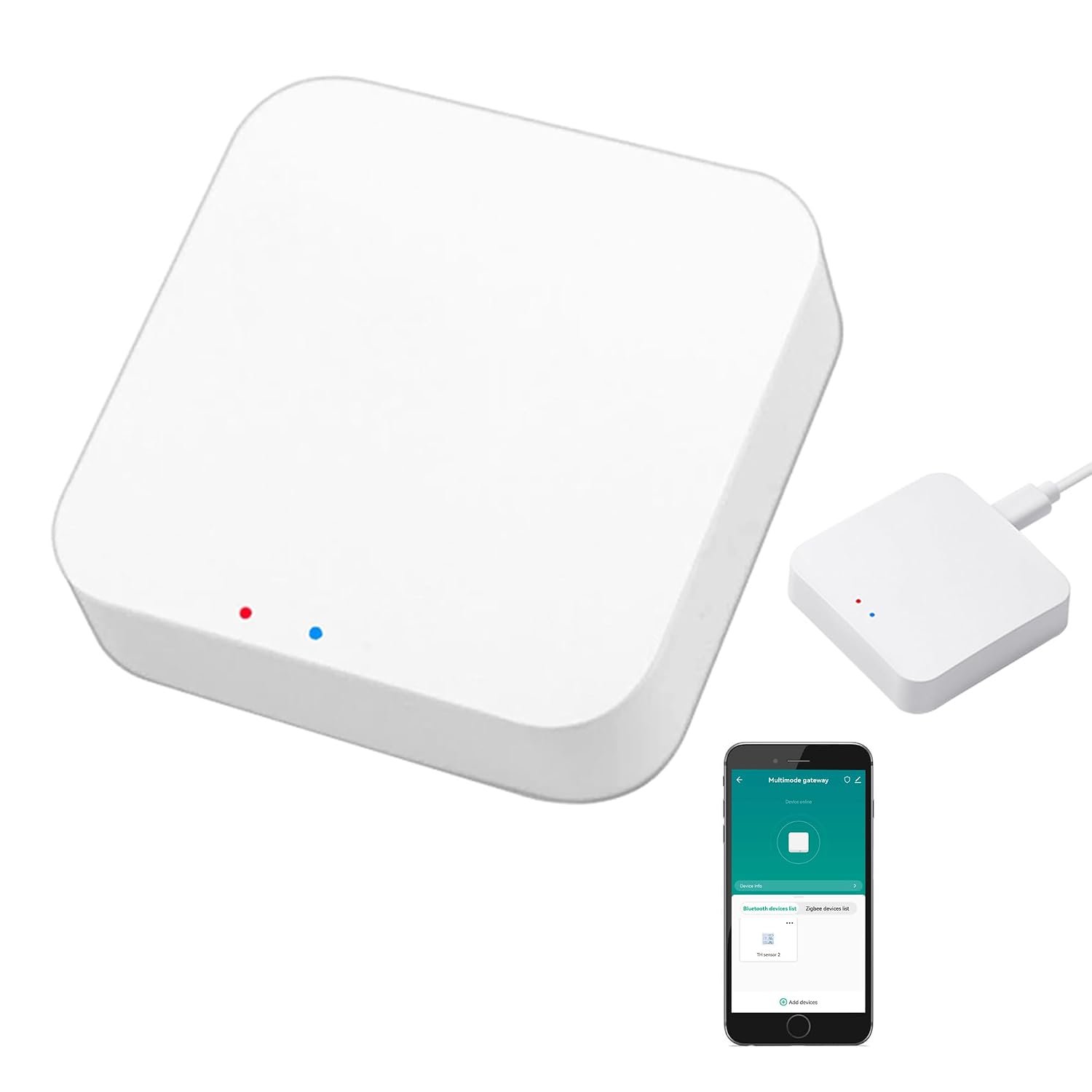
    Smart Multi-Mode Gateway for Tuya Devices: A Practical Guide to Zigbee, Bluetooth Mesh, and Smart Home Control

    Introduction

    Smart home technology has expanded beyond simple Wi-Fi light bulbs and smart plugs. Modern homes can contain door sensors, motion detectors, switches, lights, curtains, thermostats, locks, alarms, and other connected devices that communicate using different wireless technologies.

    This creates an important practical question: how can devices using different communication protocols work together within one smart home?

    A multi-mode smart gateway is designed to address that problem. Rather than connecting every compatible device directly to a Wi-Fi router, a gateway can act as an intermediary between the home network and compatible lower-power protocols such as Zigbee and Bluetooth Mesh.

    The Smart Multi-Mode Gateway: ZigBee 3.0 & Bluetooth & Mesh Hub, App Remote Control, Intelligent Bridge Wireless Smart Home Gateway Voice Control via Alexa/Google Home is a compact gateway associated with Amazon listing B0D2D89SFQ. The product is identified as a SENCKIT Multi-mode Gateway-1 and is specifically intended for Tuya Smart-compatible devices. Available product documentation identifies Zigbee and Wi-Fi connectivity, while the product description also references Bluetooth Mesh and control through Tuya Smart or Smart Life.

    The gateway’s most important characteristic is therefore not simply that it is a smart-home hub. Its purpose is to bridge compatible devices using different communication methods and make them manageable through a common software environment.

    Tuya describes its multi-mode gateway architecture as supporting Wi-Fi together with Bluetooth and Zigbee, allowing compatible sub-devices to be viewed and controlled through its app ecosystem. Tuya also describes local device control, group control, automation, and remote management as possible functions of this type of gateway.

    At the same time, compatibility needs careful attention. The product title explicitly limits the gateway to Tuya Smart devices. A Zigbee or Bluetooth device is not automatically compatible merely because it uses the same wireless protocol. Brand ecosystem, device certification, firmware, and Tuya support can all matter.

    This guide explains how the gateway works, what its different protocols mean, how it can be used in a smart home, what limitations to consider, and how it compares with other types of smart-home hubs.

    Key Features

    Multi-protocol smart home communication

    The main purpose of this gateway is to bring several communication technologies into one smart-home environment.

    The product is marketed around Zigbee 3.0, Bluetooth, and Bluetooth Mesh, with Wi-Fi used as the connection between the gateway and the home network. Tuya’s own multi-mode gateway documentation describes this general architecture: Wi-Fi connects the gateway to the cloud and mobile application, while Zigbee and Bluetooth technologies connect compatible sub-devices.

    This arrangement can be useful because different smart-home products have different communication requirements.

    For example, a small door sensor may be designed around Zigbee, while another accessory may communicate through Bluetooth. A gateway can provide a central bridge without requiring each device to establish a direct Wi-Fi connection.

    Zigbee 3.0 support

    Zigbee is a low-power wireless communication technology commonly used in smart-home devices.

    It is particularly suitable for sensors and other devices that need to communicate efficiently without maintaining the same type of direct Wi-Fi connection used by a smartphone or laptop.

    Tuya describes its multi-mode gateway architecture as using the Zigbee 3.0 standard for compatible Zigbee devices.

    A Zigbee device typically communicates with the gateway rather than connecting directly to the household Wi-Fi network.

    This can help organize a smart-home system around a dedicated hub.

    Bluetooth and Bluetooth Mesh

    Bluetooth provides another communication pathway for compatible smart-home products.

    The product description references Bluetooth Mesh, which is different from ordinary point-to-point Bluetooth connections.

    A mesh architecture can allow compatible devices to participate in a network in which messages can be relayed through other participating nodes, depending on the device and implementation.

    Tuya’s documentation identifies Bluetooth SIG Mesh as part of its multi-mode gateway ecosystem.

    This can be useful when multiple compatible Bluetooth devices need to participate in a broader smart-home arrangement.

    However, Bluetooth compatibility alone does not guarantee that a device will work with this gateway. The product is specifically intended for compatible Tuya devices, so users should check the exact device before assuming that any Bluetooth accessory can be added.

    Wi-Fi connection

    Although the gateway is designed to bridge Zigbee and Bluetooth devices, it still needs a connection to the home network.

    The available user-manual information for this specific model identifies 2.4 GHz Wi-Fi using 802.11b/g/n and a 5V/1A power input.

    The 2.4 GHz requirement is worth noting because some routers use separate network names for 2.4 GHz and 5 GHz bands.

    If a phone is connected to a 5 GHz-only network during setup, the gateway may not be discovered as expected.

    Checking the router configuration before installation can prevent unnecessary troubleshooting.

    Tuya Smart and Smart Life ecosystem

    The gateway is designed around the Tuya ecosystem.

    Tuya’s multi-mode gateway documentation explains that compatible Zigbee and Bluetooth devices can be viewed and remotely controlled through the application environment.

    The specific product listing also emphasizes that it supports Tuya Smart devices only.

    This is one of the most important details to understand.

    “Zigbee compatible” does not mean “compatible with every Zigbee product.”

    The same principle applies to Bluetooth. The gateway is intended for supported devices within the relevant Tuya ecosystem.

    App-based remote control

    Once compatible devices are connected through the gateway and configured in the appropriate app, the gateway can provide a bridge between those devices and remote app control.

    Tuya describes its multi-mode gateway solution as supporting remote control of connected Bluetooth and Zigbee devices through a mobile phone.

    This can be useful when a smart-home device needs to be controlled while the user is away from the house.

    For example, a user might check a compatible smart light, adjust a supported switch, or interact with another connected device without being physically next to it.

    Remote functionality depends on the gateway’s network connection, the relevant cloud service, the app, and the individual device.

    Voice assistant integration

    The product description references compatibility with Amazon Alexa and Google Home.

    Voice integration can allow compatible Tuya devices to be controlled through supported voice assistants after the appropriate accounts and services have been connected.

    This can turn individual devices into part of a voice-controlled routine.

    For example, compatible lights could be grouped into a room and controlled through a voice command, subject to the capabilities of the particular devices and the connected voice assistant.

    The gateway does not make every connected device automatically voice-controlled. Voice functionality depends on whether the individual device exposes compatible functions through the relevant ecosystem.

    Compact physical design

    The available specification data identifies the device as a compact unit measuring approximately 60 × 60 × 14 mm. The same documentation identifies a weight of approximately 41 grams and an ABS housing.

    A small gateway can be easier to position near a router, power source, or central area of a home.

    Placement still matters, however. A gateway that needs to communicate with Zigbee or Bluetooth devices should not simply be placed wherever there is an available power outlet.

    The physical layout of the home can influence wireless performance.

    USB-powered operation

    Available product documentation identifies a DC 5V/1A power input and lists a USB power supply cable among the included components.

    This gives the gateway flexibility in terms of where it can be powered, assuming an appropriate power adapter or USB power source is available.

    The supplied package information identifies the gateway, USB power supply line, and user manual.

    Users should check the current Amazon listing to confirm the exact contents of the package they are purchasing.

    How It Can Be Used

    Connecting Zigbee smart devices

    One of the most common uses is connecting compatible Zigbee devices to a centralized smart-home environment.

    A household might use Zigbee for:

    • Door sensors
    • Motion sensors
    • Smart switches
    • Smart bulbs
    • Temperature sensors
    • Smart plugs
    • Other supported Tuya accessories

    Instead of each device communicating independently with the router, the gateway acts as the central connection point.

    Tuya describes its multi-mode gateway architecture as supporting device addition, remote control, group control, and automation for compatible Zigbee and Bluetooth devices.

    Connecting compatible Bluetooth devices

    The gateway can also provide a central bridge for compatible Tuya Bluetooth devices.

    This can be useful when a smart-home device normally depends on Bluetooth communication but needs to participate in a broader home automation system.

    Rather than requiring the user’s phone to remain physically close to the device, the gateway can provide the persistent bridge between the Bluetooth device and the smart-home network.

    Creating lighting routines

    Smart lighting is one of the simplest examples of gateway-based automation.

    A user might have several compatible lights in different rooms and configure scenes through the Tuya environment.

    For example, a “Night” scene could be configured to reduce or switch off selected lights.

    A “Leaving Home” scene could turn off compatible lighting and other connected devices.

    The actual automation options depend on the capabilities of the individual devices.

    Managing sensors

    Sensors are particularly suitable for hub-based smart homes.

    A compatible door sensor could be used as a trigger for another device. For example, opening a door could trigger a light, notification, or another automation if the connected products and Tuya software support that relationship.

    Tuya describes local linkage, scenario automation, and group control as functions supported by its multi-mode gateway architecture.

    Home security scenarios

    A gateway can serve as the central connection point for compatible security-related devices.

    Possible examples include:

    • Door and window sensors
    • Motion sensors
    • Smart alarms
    • Smart lighting
    • Compatible switches
    • Other Tuya security accessories

    A simple automation might activate selected lights when motion is detected.

    Another could send a notification when a door sensor changes state.

    These examples depend on the exact devices and the automation functions exposed by the Tuya platform.

    Smart plugs and appliances

    Compatible smart plugs can also become part of a centralized system.

    A user could create a routine around a lamp, fan, humidifier, or other compatible appliance.

    For example, a smart plug connected to a suitable appliance might be scheduled to switch on at a particular time.

    The gateway itself does not make an ordinary appliance smart. The appliance needs to be connected through a compatible smart plug or another supported controller.

    Voice-controlled rooms

    Once compatible Tuya devices are linked to Alexa or Google Home, users can organize them into rooms or groups supported by the voice platform.

    This can make common tasks more convenient.

    For example, several compatible lights might be grouped under a room name so that a single voice command controls them together.

    The exact voice commands and supported functions vary by device.

    Remote access while away

    One of the advantages of connecting compatible devices through a gateway is the possibility of remote app control.

    A homeowner could use the app to check or control supported devices while away from the house, assuming the gateway and internet connection are operating normally.

    This can be useful for situations such as:

    • Checking whether lights are on
    • Turning off a compatible smart plug
    • Activating a lighting scene
    • Adjusting supported smart-home devices
    • Checking the status of certain sensors

    Remote access should not be treated as guaranteed. Internet outages, router problems, cloud-service interruptions, or device connectivity issues can affect availability.

    Who It May Be Suitable For

    Tuya Smart users

    The gateway is most directly relevant to people already using Tuya Smart or Smart Life-compatible devices.

    Because the product is specifically limited to Tuya-compatible devices, users who already have a collection of such products may find the gateway easier to integrate into their existing setup.

    People building a mixed-protocol smart home

    A household may gradually accumulate devices using different wireless technologies.

    A multi-mode gateway can provide a central bridge between supported Zigbee and Bluetooth devices while connecting to the home network over Wi-Fi.

    This can make a growing system easier to organize.

    Smart-home beginners

    Someone starting with smart-home automation may prefer a centralized architecture instead of connecting every accessory independently.

    A gateway can provide a clear structure:

    Smart devices → Gateway → Home network → App

    This can make the overall system easier to understand.

    Users interested in automation

    People who want devices to respond to conditions or schedules can use a gateway as part of an automation system.

    Examples include motion-triggered lights, door-triggered scenes, scheduled devices, and grouped controls.

    The exact possibilities depend on the devices connected.

    Alexa and Google Home users

    People already using compatible Amazon Alexa or Google Home setups may appreciate the possibility of bringing supported Tuya devices into their existing voice-control environment.

    Users with limited Wi-Fi device capacity

    A gateway architecture can reduce the number of individual smart-home accessories that need to connect directly to the Wi-Fi network.

    Tuya describes multi-mode gateway systems as allowing Zigbee and Bluetooth devices to communicate through the gateway rather than requiring each device to connect independently to Wi-Fi.

    This can be useful in a larger smart-home installation.

    Important Things to Consider

    Tuya compatibility is the biggest limitation

    The product title explicitly says ONLY Support Tuya Smart Devices.

    This should be treated as a major compatibility requirement.

    A device using Zigbee 3.0 is not automatically guaranteed to work with this gateway.

    The same is true for Bluetooth Mesh.

    Before purchasing, check whether the specific device you want to connect is listed as compatible with Tuya Smart or Smart Life and whether the manufacturer identifies the required gateway support.

    Zigbee is not the same as universal compatibility

    Zigbee is a communication standard, but smart-home ecosystems can implement device support differently.

    Two Zigbee devices may use the same underlying protocol while offering different compatibility depending on the hub and software ecosystem.

    This is why checking the exact device model matters.

    2.4 GHz Wi-Fi requirement

    The available manual information identifies 2.4 GHz 802.11b/g/n Wi-Fi for this model.

    Modern routers often provide both 2.4 GHz and 5 GHz networks.

    If setup fails, checking whether the phone and gateway are using a compatible 2.4 GHz network can be an important troubleshooting step.

    Internet access and cloud services

    A smart gateway can provide local communication between devices, but many remote-control features rely on internet connectivity and cloud services.

    Tuya describes both local linkage and cloud-based remote control in its gateway ecosystem.

    This distinction matters.

    A local automation may continue to function in some circumstances without internet access, depending on the specific gateway and configuration. Remote app control generally requires a working internet connection.

    Users should not assume that every feature remains available during an internet outage.

    Gateway placement

    The gateway should be placed in a location that provides suitable wireless coverage to the connected devices.

    Placing it inside a metal cabinet, behind large appliances, or in a distant corner of the house can reduce wireless performance.

    A central position may be useful when devices are distributed throughout several rooms.

    However, the best location depends on the layout and construction of the home.

    Range varies by building

    Wireless range is influenced by:

    • Walls
    • Floors
    • Metal structures
    • Concrete
    • Furniture
    • Electrical interference
    • Device placement
    • Antenna design

    A range that works well in an open apartment may not work identically in a large multi-floor house.

    Mesh does not mean unlimited range

    Bluetooth Mesh and Zigbee mesh networks can extend communication through participating devices, but not every device necessarily acts as a router.

    Battery-powered sensors often have different networking behavior from mains-powered devices.

    The actual topology therefore depends on the connected devices.

    Power interruptions

    Because the gateway requires external power, a power outage can affect the system.

    Smart devices with their own batteries may remain active, but their connection to the gateway can be interrupted.

    For critical security applications, users should understand exactly what happens to their system during a power or internet outage.

    Voice assistant limitations

    Alexa and Google Home integration can make smart-home control more convenient, but it does not automatically expose every function of every Tuya device.

    One product may support on/off voice commands, while another may expose brightness, temperature, mode, or other functions.

    The capabilities depend on the device’s integration.

    Security matters

    A smart-home gateway sits at the center of multiple connected devices, making account security important.

    Users should:

    • Use a strong account password
    • Avoid sharing account credentials
    • Keep the app and compatible devices updated
    • Review connected devices periodically
    • Remove devices that are no longer used
    • Use secure Wi-Fi settings

    Tuya also provides OTA update capabilities within its gateway ecosystem, allowing supported gateway systems and modules to receive software updates.

    The availability and timing of updates for a specific third-party gateway can vary.

    Understanding the Smart Home Architecture

    A useful way to understand this product is to think of the gateway as a translator and coordinator.

    A simplified system can look like this:

    Zigbee devices
    ↓
    Multi-Mode Gateway
    ↓
    2.4 GHz Wi-Fi
    ↓
    Tuya Smart / Smart Life ecosystem
    ↓
    Smartphone or compatible voice assistant

    Bluetooth devices can follow a similar path:

    Bluetooth / Bluetooth Mesh devices
    ↓
    Multi-Mode Gateway
    ↓
    Wi-Fi network
    ↓
    Tuya platform

    This architecture separates device-level wireless communication from the home’s primary internet connection.

    The gateway therefore does more than simply provide another Wi-Fi access point.

    Comparison of General Smart Home Hub Categories

    Basic Wi-Fi smart-home devices

    Some smart devices connect directly to the home’s Wi-Fi router.

    The advantage is simplicity: no separate hub may be required.

    However, if a household adds many Wi-Fi devices, the number of connected clients can grow considerably.

    Wi-Fi devices may also consume more power than low-power protocols in certain applications.

    Single-protocol Zigbee hubs

    A Zigbee hub focuses primarily on Zigbee devices.

    This can work well for a household built almost entirely around Zigbee.

    The limitation is that Bluetooth devices may require another gateway or bridge.

    A multi-mode gateway is designed to combine multiple supported protocols in one device.

    Bluetooth gateways

    Bluetooth gateways focus on Bluetooth-based accessories.

    They can be useful when a household has a large number of Bluetooth devices.

    However, they may not provide the same Zigbee support as a multi-mode gateway.

    Multi-mode gateways

    A multi-mode gateway combines several communication technologies.

    The specific product discussed here brings together Tuya-compatible Zigbee and Bluetooth-related devices while using Wi-Fi as the network connection.

    This can simplify a mixed-protocol smart home.

    The trade-off is that compatibility becomes more complex because users must consider both the wireless protocol and the supported ecosystem.

    Proprietary ecosystem hubs

    Some smart-home brands build their own dedicated ecosystems.

    These can provide tightly integrated hardware and software experiences.

    The disadvantage is that users may become more dependent on that particular ecosystem.

    The Tuya approach can offer access to products from multiple Tuya-compatible manufacturers, but compatibility still needs to be verified at the individual device level.

    Advanced smart-home controllers

    More advanced users may use platforms designed around extensive automation, local processing, custom integrations, or multiple protocols.

    These systems can provide greater configuration flexibility but may require more technical knowledge.

    A Tuya-oriented gateway is generally more focused on straightforward ecosystem integration through the Tuya application environment.

    Setting Up the Gateway

    The exact setup procedure can vary depending on firmware and application versions, but the general process is straightforward.

    Prepare the network

    Before starting, confirm that the home router has a functioning 2.4 GHz Wi-Fi network.

    The available manual information identifies 2.4 GHz 802.11b/g/n as the Wi-Fi standard for the B0D2D89SFQ model.

    Install the Tuya application

    The gateway is designed to work with the Tuya Smart ecosystem, with product documentation and related Tuya gateway documentation referencing Tuya Smart and Smart Life.

    Use the current version of the appropriate application rather than relying on an old setup guide.

    Power the gateway

    Connect the gateway to its required power source.

    The available manual information identifies a 5V/1A input.

    Allow the device to enter its setup or pairing state according to the supplied instructions.

    Add the gateway to the app

    Use the app’s device-add process to discover and configure the gateway.

    If discovery fails, check Wi-Fi band settings, phone permissions, Bluetooth settings where required, and whether the gateway is in pairing mode.

    Add compatible devices

    Once the gateway is configured, compatible Zigbee and Bluetooth devices can be added through the appropriate app workflow.

    The exact procedure depends on the device being added.

    A smart bulb and a door sensor may have different pairing procedures even though both communicate through the same general ecosystem.

    Configure scenes and automations

    After devices are added, users can create groups, scenes, schedules, or automations supported by the platform.

    Start with simple routines before building complex chains.

    A basic lighting automation is easier to troubleshoot than a scene involving multiple sensors, switches, plugs, and voice-assistant integrations.

    Practical Smart Home Examples

    Evening lighting

    A motion sensor could trigger a compatible hallway light during selected nighttime hours.

    The sensor and light would need to be compatible with the gateway and automation system.

    Leaving-home scene

    A user could configure a scene that switches off selected lights and smart plugs when leaving home.

    This reduces the need to control each device individually.

    Bedroom routine

    A scheduled scene could turn off selected lights at bedtime and activate compatible devices according to the user’s routine.

    The actual devices and automation capabilities determine what can be included.

    Entry notification

    A compatible door sensor could trigger a smartphone notification when a door opens.

    The exact behavior depends on the sensor, app, and configured automation.

    Voice-controlled lighting

    After connecting the Tuya ecosystem to Alexa or Google Home, compatible lights can potentially be controlled by voice.

    This can be particularly useful when hands are occupied or when controlling several lights together.

    Frequently Asked Questions

    What is the Smart Multi-Mode Gateway B0D2D89SFQ?

    It is a compact smart-home gateway designed to connect compatible Tuya devices using technologies such as Zigbee and Bluetooth-related communication while using Wi-Fi to connect the gateway to the home network. The identified manufacturer is SENCKIT and the model is Multi-mode Gateway-1.

    Does it support Zigbee 3.0?

    Yes. The product is specifically marketed around Zigbee 3.0, and Tuya’s multi-mode gateway architecture uses Zigbee 3.0 for compatible sub-devices.

    Does it support Bluetooth Mesh?

    The product description identifies Bluetooth Mesh support, and Tuya’s multi-mode gateway documentation describes Bluetooth SIG Mesh within its compatible gateway architecture.

    Does it work with any Zigbee device?

    No. The product is explicitly described as supporting Tuya Smart devices only.

    A Zigbee device should be verified for Tuya compatibility before purchase.

    Does it require Wi-Fi?

    The gateway uses Wi-Fi to connect to the home network. Available documentation for this specific model identifies 2.4 GHz 802.11b/g/n Wi-Fi.

    Does it support 5 GHz Wi-Fi?

    The available manual information specifies 2.4 GHz Wi-Fi. Users should therefore plan to use a compatible 2.4 GHz network during setup rather than assuming 5 GHz support.

    Can it work with Alexa?

    The product description references Alexa compatibility for voice control of compatible Tuya smart-home devices.

    The exact commands and functions depend on the individual connected device.

    Can it work with Google Home?

    The product description also references Google Home compatibility.

    As with Alexa, the available controls depend on the connected device and integration.

    Does it work without an internet connection?

    Some local automation functions may continue to operate depending on the gateway and configuration. However, remote app control generally depends on a functioning network and cloud connection.

    Tuya describes both local linkage and remote control capabilities in its multi-mode gateway architecture.

    Users should not assume that every function will remain available during an internet outage.

    Can I control the gateway from my phone?

    The gateway is designed to be managed through the Tuya Smart ecosystem, with product documentation describing app-based control and management.

    How large is the gateway?

    Available product documentation identifies dimensions of approximately 60 × 60 × 14 mm and a weight of approximately 41 grams.

    What power does it use?

    Available documentation identifies a DC 5V/1A input.

    What comes in the package?

    Available specification information identifies a Zigbee/Bluetooth hub, USB power supply line, and user manual.

    The current Amazon listing should be checked for the exact package contents.

    Is this gateway useful for a large smart home?

    It can be useful for a growing Tuya-based smart-home system, particularly when compatible Zigbee and Bluetooth devices are involved. However, the practical capacity and wireless coverage depend on the gateway, device types, home layout, and software configuration.

    Tuya’s broader multi-mode gateway solution documentation describes support for substantial numbers of Zigbee and Bluetooth devices, but those figures should not automatically be assumed to apply to this particular third-party model.

    Can I use it with non-Tuya smart devices?

    The product listing specifically says it supports Tuya Smart devices only.

    Users with devices outside the Tuya ecosystem should verify compatibility before attempting to build a system around this gateway.

    Conclusion

    The Smart Multi-Mode Gateway B0D2D89SFQ is designed to serve as a central bridge for compatible Tuya smart-home devices using different wireless technologies.

    Its primary role is to connect supported Zigbee and Bluetooth-related devices to a Wi-Fi-based home network and make them manageable through the Tuya ecosystem. Tuya’s multi-mode architecture is built around this concept, combining Wi-Fi with Zigbee and Bluetooth communication to support centralized device management, remote control, group functions, and automation.

    The gateway can be useful in several types of smart-home installations. It can connect sensors, switches, lights, smart plugs, and other compatible accessories while providing a centralized point for app-based management. With supported integrations, users can also bring compatible devices into Alexa or Google Home voice-control environments.

    Its compact physical design, identified at approximately 60 × 60 × 14 mm, allows it to occupy relatively little space, while the documented 2.4 GHz Wi-Fi connection provides the network link between the gateway and the home environment.

    The most important consideration, however, is compatibility. This is not a universal Zigbee or Bluetooth hub. The product specifically states that it supports Tuya Smart devices only. A device using Zigbee or Bluetooth does not automatically become compatible simply because it uses the same underlying wireless technology.

    For someone building or expanding a Tuya-based smart home, a multi-mode gateway can provide a useful central architecture for managing compatible devices. For someone using several unrelated smart-home ecosystems, compatibility should be investigated carefully before making the gateway the foundation of the installation.

    The best approach is to identify the exact devices you intend to connect, verify their Tuya compatibility, confirm the 2.4 GHz network requirement, choose an appropriate gateway location, and then build automation gradually. With those considerations in place, a multi-mode gateway can serve as the communication bridge between everyday smart-home accessories and a centralized control environment.

    You can check more details on Amazon here.